
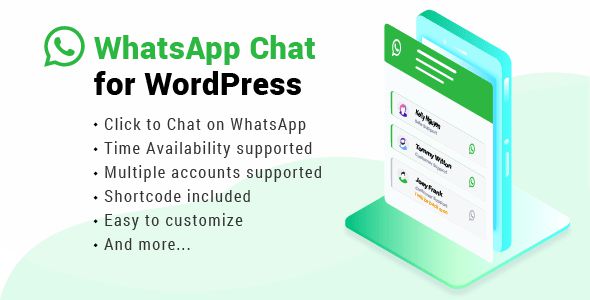
WhatsApp Chat Plugin là giải pháp giúp website WordPress tích hợp nút chat WhatsApp trực tiếp, cho phép khách truy cập liên hệ với bạn chỉ bằng một cú nhấp chuột. Plugin đặc biệt hữu ích cho WooCommerce, website doanh nghiệp, landing page và dịch vụ hỗ trợ khách hàng. Nhiều plugin hiện nay còn hỗ trợ đa nhân viên, lịch hoạt động và analytics nâng cao.
Tính năng nổi bật của WhatsApp Chat Plugin
- Floating Chat Button hiện đại
Hiển thị nút WhatsApp nổi trên website giúp khách hàng dễ dàng liên hệ mọi lúc. - Tích hợp WhatsApp & WhatsApp Business
Khách truy cập được chuyển trực tiếp tới WhatsApp hoặc WhatsApp Web để bắt đầu cuộc trò chuyện. - Tin nhắn mẫu tự động
Thiết lập pre-filled message để tiết kiệm thời gian và tăng tỷ lệ phản hồi. - Hỗ trợ nhiều nhân viên (Multi-Agent)
Phân chia:- sales
- support
- kỹ thuật
với profile riêng cho từng nhân viên.
- Business Hours & Availability
Tự động hiển thị hoặc ẩn chat theo giờ làm việc. - WooCommerce Integration
Thêm nút WhatsApp trực tiếp trên:- product page
- cart
- checkout
giúp khách hàng hỏi nhanh trước khi mua.
- Tùy biến giao diện linh hoạt
Thay đổi:- icon
- màu sắc
- vị trí
- lời chào
- animation
để phù hợp thương hiệu website.
- Analytics & Conversion Tracking [PRO]
Một số plugin hỗ trợ Google Analytics và Meta Pixel tracking để đo hiệu quả chuyển đổi.
Phù hợp cho
- WooCommerce store
- Website doanh nghiệp
- Landing page bán hàng
- Website dịch vụ
- Nhà hàng & booking
- Website hỗ trợ khách hàng
User Reviews
Only logged in customers who have purchased this product may leave a review.



There are no reviews yet.